Google My Business (GMB) has become a powerful tool for businesses to boost their local search visibility and attract nearby customers. As Google focuses on featuring businesses that have a localized intent and accurate information, an optimized GMB profile can significantly boost both your business reach and credibility. However, simply creating a GMB profile and calling it a day will not provide any reliable results. Therefore, the optimization process is a must. If you do not know how, then this article will help you. In this article, we will share the essential SEO tips for Google My Business to help you strengthen your online presence, improve local rankings, and attract more customers.
What Is Google My Business Exactly?
Google My Business, now referred to as Google Business Profile, is a free listing tool that allows you to list your business so that it can appear on local and relevant searches. However, do note that only businesses, whether product-based or service-based, that have a physical location can be listed. From small to established organizations of any niche, an optimized GMB profile can prove to be highly beneficial. Below, we have listed the key benefits that a GMB profile offers.
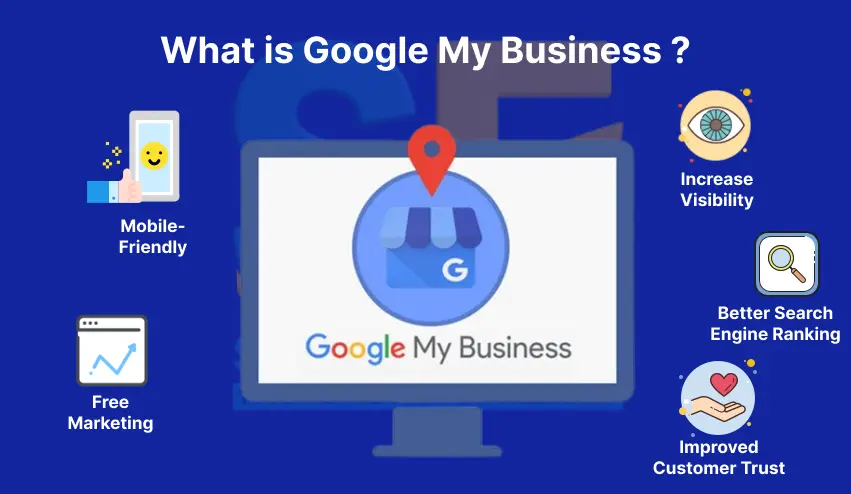
- Increase Visibility: By creating an account on Google My Business and optimizing it, you will increase the likelihood of potential customers finding your business on Google Search and Maps.
- Better Search Engine Ranking: By optimizing your Google Business Profile, search engines will consider your business as credible and reliable. Thus, improving SERP ranking.
- Improved Customer Trust: With positive reviews in your GMB profile, your customers will feel confident in trusting your business.
- Free Marketing: Google Business Profile is a completely free-to-use tool and can attract potential customers to your business without any significant investment.
- Mobile-Friendly: As the tool is already optimized for mobile devices, you do not need to make additional efforts to ensure an optimal experience for mobile users.
Also, check out our other article on Google My Business Optimization Guide For More Leads.
The Difference Between SEO and Local SEO
If you want to effectively attract your nearby customers, then understanding the difference between SEO and local SEO is highly crucial. One thing you need to understand is that the practice of SEO is very broad, and local SEO is a part of the overall practice. Nevertheless, there are several underlying differences between them, and we have explained them in the mentioned below table.
| Elements | SEO | Local SEO |
| Target audience | Global/national | Local/nearby users |
| Ranking factors | Content, backlinks, and technical SEO | Proximity, relevance, and prominence. |
| Primary platform | Website | Website and Maps |
| Primary goals | Increase search visibility | Attract local traffic |
7 Proven SEO Tips For Google My Business
Now that you understand the difference between SEO and GMB, we can discuss the key SEO tips for Google My Business you can follow. Below, we have listed a detailed and step-by-step checklist that you can follow to get better results from local searches.
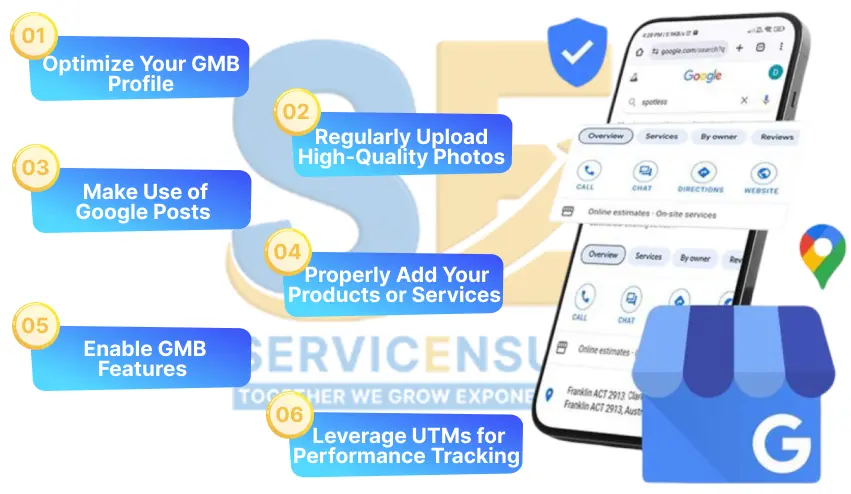
1. Optimize Your GMB Profile
While about 97% users learns about local businesses online, they are unlikely to see your business if you do not have an optimized GMB profile. Due to this, the optimization of your GMB profile is highly crucial, as it is also among the key practices of Google Business Listing SEO. In order to optimize your GMB profile, you will need to ensure the following factors.
- Accurate NAP: NAP stands for Name, Address, and Phone number, and you will need to ensure that this information is correct on your GMB. This is because inaccurate information can confuse Google and will result in lowering your local search ranking.
- Select Right Categories: Choose one primary category that represents your core services and only include those secondary categories that support your main offerings.
- Include Targeted Keywords: You will first need to thoroughly research keywords and identify the ones that are relevant to your business and have high search intent. By including these keywords, you will be able to optimize your Google Business Profile for SEO.
2. Regularly Upload High-Quality Photos
One of the best SEO tips for Google My Business is to upload relevant and high-quality photos in your GMB profile. However, instead of uploading stock images or infographics, you will need to upload your actual business photos. This will signal Google that your business is active and reliable, and as a result of this, your local search ranking will improve. You can follow the listed below practices to ensure that your media is helping to improve ranking and attract the right audiences.
- Add Professional Shots: You can upload your actual storefront or company images so that customers will recognize your business instantly.
- Ideal Formats: Upload your images in JPG format to ensure quality in the minimum size. As for short videos, MP4 is still the best format option.
- Upload Frequency: Upload at least 4-5 images and one video per month to stay active.

3. Make Use of Google Posts
One of the best ways to improve your local ranking on Google is by making use of Google posts. These posts appear directly on your business profile, and you can use this to inform the users about your new updates or launches. Mentioned below are some key types of Google posts that can help improve your local reach.
- Offers.
- Events.
- Product features.
- Announcements.
- Limited time-deals.
While posts can help boost your local reach, there are still some factors you need to consider to ensure optimal results. By following the listed below practice, you will be able to strategically use Google posts to attract audiences and achieve measurable results.
- Naturally include relevant keywords in your posts.
- Make sure that your posts clearly convey the message and have a strong CTA.
- Try to publish 1-2 posts per week to maintain engagement signals.
4. Properly Add Your Products or Services
Adding your products or services to Google My Business for local SEO is not just about uploading images and videos. Instead, you will need to list each individual product or service with a relevant title, description, and images. Mentioned below are the key tips for optimizing GMB when it comes to uploading your products or services.
- Include each and every single one of your major service or product categories.
- Write short and clear descriptions and naturally include keywords in them.
- Add prices, benefits, and real-life use cases where applicable.
5. Enable GMB Features
Although the optimization process of GMB requires you to ensure consistent NAP information, quality images, and display of products or services, when it comes to boosting reach, you will need to enable all the essential features. Enabling these features is among the best SEO tips for Google My Business as it can help your profile become more relevant and active. Below, we have listed the key features that you will need to ensure that they are enabled to boost your local reach.
- Messaging: This will allow users to directly contact your business, giving you the opportunity to generate leads.
- Booking Links: These links will help users to directly make appointments without requiring them to navigate through your website.
- FAQs: Frequently asked questions and answers can help eliminate the user’s indecisiveness and provide them with the answer they are hoping to get.
6. Leverage UTMs for Performance Tracking
UTMs stand for Urchin Tracking Models and can help you find how many users are coming to your website from GMB. With this data in hand, you can mark the GMB traffic and further promote the pages to attract better results. Below, we have listed the steps you will need to follow to track the performance of your GMB efforts.
- Go to GA4, then open Reports > Acquisition > Traffic Acquisition.
- Here, filter by Source/Medium to see the users from your GMB.
- Now, you can track metrics like form fills, calls, or purchases that came from your Google Business Profile.
These metrics will help you check just how well your GMB efforts are driving results. By thoroughly analyzing them, you can also promote practices, like Google posting, to further maximize the results.
7. Use Local Schema Markup on Your Website
Local schema markups are special codes that you can add to your website. These codes will help Google understand what your business is actually about. With this clarity, Google will show your business to potential customers who search for relevant products or services, thereby improving your local search ranking. Mentioned below are some key types of local schema markup that can boost your local reach.
- Local Business Schema: This will help Google to match your website with your GMB profile.
- FAQ Schema: It can help you rank on question-based local searches.
- Review Scheme: This will help customer reviews, assisting in building credibility for your business.
Contact us today and get a free audit for your website.
Boost Your Local Reach With Smarter GMB SEO
For all local businesses, GMB is not just an optional tool but a necessary one to attract audiences in the competitive market. As the tool can bridge the gap between online discovery and real-world actions, it can help your business make effective progress towards the desired results. By applying the SEO tips for Google My Business we have listed in this article, you will be able to position your business right in front of the targeted audience.
FAQs
Can I do SEO on Google My Business?
Yes, the practices of SEO can also be implemented on Google My Business, and you can do so to boost your local reach.
What is a local schema?
This is a structured code that tells search engines like Google about the specific details of a local business.
How do I get better Google reviews?
In order to get better Google reviews, you can send a personalized email to your customers with a direct link to the review section of your GMB profile. This will encourage them to drop a positive review regarding your products or services and overall experience.
Is review boosting illegal on Google?
Yes, review boosting is strictly against Google’s policies, and doing so can result in penalties, including the suspension of your GMB profile.
Can Google posts actually help with ranking?
Yes, Google posts will signal the search engine that your business is active and relevant, which will directly contribute to improving your local ranking.

Aadiv Atharv is a results-focused Digital Marketing Specialist with expertise in performance marketing, social media strategy, and conversion optimization. He excels at crafting creative, ROI-oriented campaigns that help brands connect with the right audience. His blend of creativity and technical skill makes him a powerful force in today’s competitive digital landscape.