Keeping track of social media content can be quite a challenge, especially when there is a constant flow of new content and ideas. Not to mention the nuances of publishing posts on different social media platforms and aligning each post with your marketing methods. However, with a social media calendar, you can effectively overcome these hurdles. But do you know how to create a social media calendar? Don’t worry, as we will guide you through the process of creating a powerful, SEO-friendly, and ROI-driven social media calendar in this blog.
What Is a Social Media Calendar?
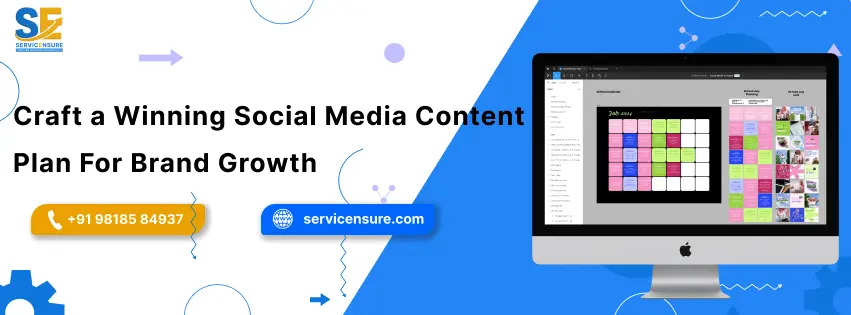
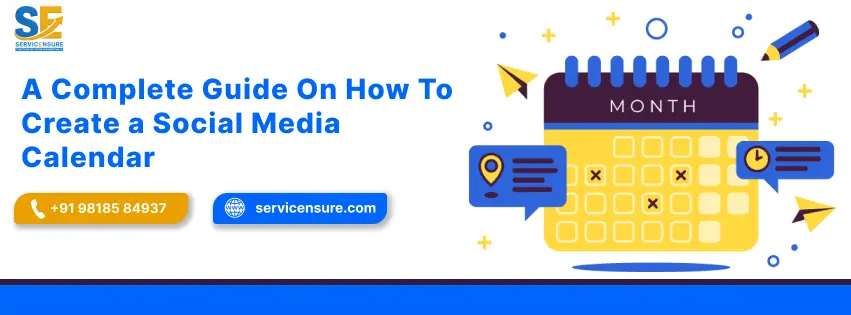
Before we discuss the process of how to create a social media calendar, let us first brief you in about what exactly is a social media calendar and what purpose it serves. A social media calendar is a hyper-detailed plan that displays your content in one place. Thanks to the data being in a centralized location, you will be able to maintain a consistent flow of publishing, while ensuring that the content is in alignment with your business goals. Moreover, with a social media calendar in place, you will also be able to prevent last-minute scrambling for factors like captions, tags, and visuals.
Although this calendar can be created for a duration of your desire, like a week or a month, we recommend that you do not overextend the duration due to market shifts. This is because new trends often overshadow old ones, and following old trends may fail to provide the results you expect from the marketing efforts.
How To Create a Social Media Calendar?
While the process of crafting a social media calendar can take a considerable amount of time, it is, nevertheless, an essential aspect to avoid content clusters and ensure timely postings. You can follow the method we have listed below on how to create a social media calendar.
1. Define Your Goals
The purpose of a social media calendar is to guide your marketing efforts towards a specific business goal. Therefore, you will first need to clearly define what marketing objectives you wish to achieve with a social media calendar. Common goals for a social media include:
- Increasing brand awareness.
- Building a community.
- Driving website traffic.
- Generating leads.
- Boosting sales.
- Improving engagement.
The goals we have listed above are common examples of what the objective of a social media calendar can be. Once you have clearly defined your goals, you can then move towards the next step.
2. Choose The Right Platforms
Every social media platform serves a different purpose and has a different set of audiences. However, this does not mean that you need to be on all these platforms, at all times. Instead, locate the platforms that your target audience prefers most and make sure that you align your content according to the platform. Below, we have listed some common platforms that the best social media marketing agency in Gurgaon includes in their social media calendar.
- Instagram: It is one of the most popular social media platforms, and its audience mostly prefers product showcases and visual storytelling content. Instagram allows to publish content in the form of reels, stories, and posts, and you can use it to ensure that your content is visually appealing to your target audience.
- LinkedIn: You can include this platform in your social media content calendar if your focus is on leadership or employer branding. LinkedIn has over 1 billion global users and stands as the ideal professional platform. Therefore, making it the optimal platform to build recognition and credibility for your business.
- Facebook: With over 3 billion active monthly users, Facebook stands as the most used social media platform. This means that you can easily locate your targeted audience and can encourage them to interact with your business
By including the right social media platforms in your calendar, you can align your posts with their specific content format.
3. Set Your Posting Schedules
When looking for how to create a social media calendar, one thing you need to understand is that consistency matters more than volume. By this, we do not mean that you start scheduling your posts on social media platforms. Instead, you will need to find the right frequency of how often you will post your content. For example, you will need to decide how many posts you will be publishing on a weekly basis.
Do note that there can be a few exemptions to this, and one of the most notable is festivals. This means that you may need to publish more (twice or even thrice) the amount of content in order to grasp the attention of the audience. These days are also referred to as Key Days, and you will need to figure out the time at which your audience is most active on social platforms.
4. Plan Out Your Content Types
A strong social media content calendar includes a variety of content topics and formats. Planning out content topics is essential because it will provide you with a view of what kind of content will be published on what social media platforms. Mentioned below are the common content types.
- Product Updates: This type of content is used to feature highlights of a product on social media platforms.
- Educational Content: This content can help build trust and establish authority by signaling to the audience that your business is reliable.
- Promotional Posts: As the name suggests, these contents are used for the promotion of a product or service. Promotional posts are usually aimed to drive specific actions such as sales or website traffic.
5. Decide a Posting Frequency & Schedule Your Content
If you want your business to be noticed by the targeted audience and achieve your desired goals, you will need to publish posts consistently. However, by consistent posts, we do not mean that you publish multiple posts in a single day on an individual social media platform. Instead, you will need to decide on a posting frequency. Below is an example of how a posting frequency should look like.
- Instagram & Facebook: 3-5 posts in a week.
- LinkedIn: 3 posts a week.
- X: One daily post.
- YouTube: One or two videos a week.
- Pinterest: 5+ Pins in a week.
Once you have decided on a posting frequency, you can simply schedule your content for the relevant dates. By scheduling your content, you will be able to ensure that all your posts are being published on their respective dates without any manual labour.
Also Read: Social Media Reputation Management Tips For Success
What Are The Best Social Media Calendar Tools?
The best social media calendar tools can make it easy to manage the content and calendar. However, as there are literally a plethora of tools promising to streamline workflow, finding the right one can be a difficult task. To help you with this task, you can follow the process we have listed below to find the right tools for your social media calendar.
1. Clarify Your Needs
Before choosing a social media content planning tool, you will first need to understand why exactly you need a social media calendar tool. This means that you will need to ask questions, such as what your posting cadence will be and whether the team will be collaborating via the tool. The most essential thing you will need to consider will be your budget.
2. Features to Look For In The Social Media Content Planning Tool
Although there are a multitude of social media content planning tools, there is no one-size-fits-all tool. Therefore, you will need to shortlist a tool that best suits your business goals. You can check the mentioned below features to evaluate the right tool for your social media calendar.
- Platform Support: Make sure that the social media content strategy tool supports at least the platforms you are planning to post your content on.
- Scheduling: The next thing you will need to ensure is whether the social media content tool can post your content on the scheduled date or not. This is essential because there are many tools that do not automatically schedule the content but allow you to select the data for manual publishing.
- Previewing: A good social media content strategy tool will allow you to preview how your content will look on each social media platform.
- Pause: This is one of the most essential features when it comes to crisis control. Therefore, you will need to check whether the tool is allowing you to pause all scheduled content with a single click or not.
- Cost: Do note that many social media content strategy tools do not offer lifetime value for a fixed price. Instead, they require you to subscribe on a monthly or yearly basis. Moreover, some of the features, such as pausing scheduled content, may require additional cost. Therefore, consider your budget and check for all the necessary features before investing in a tool.

Why Do You Need a Social Media Content Calendar?
The use of a social media calendar goes much deeper than simply planning the content. Mentioned below are some key reasons why a social media calendar is essential for your business.
- 1. Ensures Consistency: With a social media calendar, you can easily ensure a regular publishing cadence. Moreover, the calendar will also allow you to ensure that all your posts are aligned to their respective objectives, which can be improved brand visibility, reach, and followers’ trust.
- 2. Saves Time & Efforts: The major reason why a social media calendar is essential for your business is that it will allow you to prepare everything (from tags to captions) in advance and ready to execute. Also, as tasks such as scheduling can be set to automatic, there will be little to no need for manual efforts.
- 3. Boosts Engagement: A social media calendar can contribute significantly to boosting the engagement of your business by ensuring consistency and helping you identify the best time to post when your audience is most active.
- 4. Strengthens Collaboration: A social media calendar can be shared with an entire team. This can ensure that every member is on the same page with clear deadlines, responsibilities, and post details.
- 5. Analytics & Optimization: With a social media calendar for your business, you can thoroughly compare analytics of what’s working and what is not. You can then use this data for further optimization to drive better results.
Your Next Step Towards Smarter Social Media Planning
With a proper understanding of how to create a social media calendar, you will be able to build credibility and reputation for your business in the online market, all the while ensuring a seamless workflow. While a calendar can help you stay organized, you will, nevertheless, need to conduct thorough research in order to figure out the best timing for posting. With the right tools and a reliable social media calendar by your side, you can ensure that your content is contributing to bringing in your desired business results.
FAQs
What are the key elements of a social media calendar?
The elements of a social media calendar include post dates and times, platforms, content types, creatives, captions, and approval status.
How far should I plan the social media calendar for?
An ideal duration of a social media calendar is 1 to 4 weeks in advance to ensure a balance of consistency and flexibility.
How can AI enhance my social media calendar?
You can use AI tools to enhance your social media calendar by automating the process of content creation and optimizing post schedules. Furthermore, AI can also assist you in making data-driven decisions.
Is spreadsheet good for a social media calendar?
Yes, you can use spreadsheets to create a social media calendar without any cost. However, spreadsheets lack advanced features, such as previewing and scheduling.
How can a social media calendar help with crisis management?
A social media calendar can assist you to deal with a crisis by allowing you to quickly pause or halt all your scheduled posts. This can help ensure that your content does not add fuel to the crisis.

Aadiv Atharv is a results-focused Digital Marketing Specialist with expertise in performance marketing, social media strategy, and conversion optimization. He excels at crafting creative, ROI-oriented campaigns that help brands connect with the right audience. His blend of creativity and technical skill makes him a powerful force in today’s competitive digital landscape.